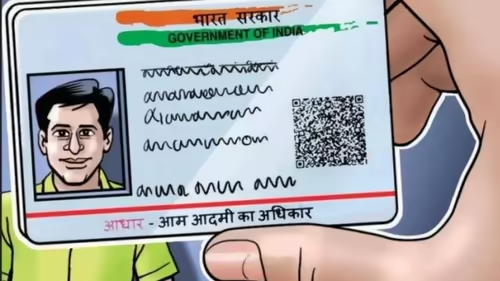
Remember the last time you had to hand over a photocopy of your Aadhaar card? It probably felt a little risky, didn’t it? Sharing your full name, address, and that all-important 12-digit number with a stranger or a service provider is a necessary evil for many transactions in India. But what if you could prove your identity instantly, without giving away a single piece of paper or a PDF file?
That future is here. The Unique Identification Authority of India (UIDAI) has officially launched its enhanced Aadhaar app, a game-changer that promises to make physical Aadhaar copies a relic of the past. This isn’t just an update; it’s a fundamental shift towards a more secure and user-controlled digital identity ecosystem.
Table of Contents
- The End of Physical Aadhaar Copies?
- What’s New in the Aadhaar App?
- How to Use Aadhaar Digital Verification
- Security and Privacy: Your Data, Your Control
- Why This Change Matters for Every Indian
- Conclusion
- Sources
The End of Physical Aadhaar Copies?
The official line from UIDAI is clear: with the new app, there is no need for physical Aadhaar copies. The primary goal is to move towards a completely paperless and secure verification process. Instead of handing over a document that contains all your personal details, you can now initiate a real-time, encrypted verification directly from your smartphone [[11]].
This move is a direct response to growing concerns about identity theft and data misuse. Photocopies of Aadhaar cards are easily misused, and once they’re out in the world, you have zero control over them. The new system flips this model on its head, putting you firmly in the driver’s seat.
What’s New in the Aadhaar App?
Launched on January 28, 2026, the new Aadhaar app is packed with features designed for convenience and security [[1]]. Here are the key highlights:
- Offline Verification via QR Code: The app generates a secure, time-bound QR code that contains your essential details. A verifier (like a bank or telecom agent) can scan this code using their own registered device to instantly confirm your identity without you ever sharing your full Aadhaar number or a copy of your card [[15]].
- Real-Time Face Authentication: In many scenarios, the verification process can be completed with a simple facial scan, adding a powerful layer of biometric security that ensures it’s really you [[14]].
- One-Tap Biometric Lock/Unlock: You can now lock your biometric data (fingerprint and iris) with a single tap. This means no one can use your biometrics for authentication without your explicit permission to unlock them first [[24]].
- Easy Mobile Number & Address Updates: The app finally allows you to update your registered mobile number “anytime and anywhere” directly from your phone, a feature long awaited by millions [[9]].
How to Use Aadhaar Digital Verification
Getting started with Aadhaar digital verification is straightforward:
- Download the App: Search for the official “Aadhaar” or “mAadhaar” app on the Google Play Store or Apple App Store [[26]].
- Register and Set a PIN: Create a profile within the app and set a strong 6-digit PIN or enable fingerprint/Face ID for access [[28]].
- Generate Your Secure QR Code: When you need to verify your identity, open the app, authenticate yourself with your PIN, and select the option to generate a QR code for offline verification.
- Let the Verifier Scan: Present the QR code on your screen to the authorized person. They will scan it using their own official verification tool, which will display your name, photo, and a confirmation of your identity without revealing your full Aadhaar number [[15]].
This entire process is quick, secure, and gives you complete peace of mind. You can learn more about managing your digital identity on our guide to [INTERNAL_LINK:digital-identity-security].
Security and Privacy: Your Data, Your Control
UIDAI has gone to great lengths to ensure the new app is a fortress for your personal data. Beyond the biometric lock and the secure QR code, the app uses end-to-end encryption for all its processes. Your Aadhaar data never leaves your device in an unsecured format.
This is a massive leap forward in privacy. Previously, you had to share your entire document. Now, you can choose to share only the specific information required for a transaction, and even that is done through a secure, encrypted channel. This principle of “selective data sharing” is at the heart of the new system [[17]].
Why This Change Matters for Every Indian
This isn’t just a tech upgrade; it’s a significant step towards empowering citizens. By eliminating the need for physical copies, the government is directly tackling the problem of Aadhaar data leaks and misuse. It simplifies countless processes, from opening a bank account to getting a new SIM card, making them faster and less prone to fraud.
For businesses and service providers, it offers a standardized, reliable, and secure method for Know Your Customer (KYC) checks. For the average citizen, it means less hassle, more security, and greater control over their most sensitive personal information. It’s a win-win for everyone in the digital economy.
Conclusion
The launch of the new Aadhaar app marks a pivotal moment in India’s digital journey. Aadhaar digital verification is no longer a concept for the future—it’s a practical, secure, and user-friendly reality available to everyone right now. It’s time to ditch the photocopies, download the official app, and take control of your digital identity. The old way of doing things is officially obsolete.
Sources
- UIDAI on Instagram: Digital Identity Reimagined [[1]]
- ClearTax: New Aadhaar App With Face ID and QR Code [[11]]
- Vinod Kothari & Co.: A New Way to Verify Aadhaar Offline [[15]]
- Facebook: You no longer need to carry your physical Aadhaar card! [[14]]
- OpenGov Asia: Enhanced Aadhaar App Simplifies Secure Digital Identity [[24]]
- India Today: New Aadhaar app is here [[17]]